

Many modern parents provide an iPad or Android tablet to their young children. According to some studies, 40% of children have a tablet by the time they are 2 years old, and that number rises to 60% by the time they are 4. Many of these parents use software like YouTube Kids to provide a video watching experience that is extremely easy to use for even 2 year olds. However, there are several concerns and pain-points that often come up when it comes to YouTube Kids:
- The default experience is an opt-out model for channels they don't want their children to see
- When using the "Approved Content Only" mode, selecting videos is a somewhat convoluted process
- Fine-grained control is only really possible by manually sharing videos one by one
- Watching videos offline / with low-connectivity is not possible without YouTube Premium and only in a select few countries
- YouTube is continually tracking what your child is watching to profile them / recommend them increasingly more targeted videos
There are also the psychological issues that can present as behavioral issues with young children. A key feature of YouTube Kids, the row of suggested videos that appears during playback, may inadvertently encourage problematic habits. The ability to instantly switch to a new video, before the current one even finishes, can create a cycle of constant novelty-seeking. This pattern mirrors the "reward cycle" associated with TikTok and Instagram Reels, and over time, it may contribute to shorter attention spans and increased impulsivity in young children.
Faced with these issues, we decided to build a simpler alternative.
The Antitote: Easy Kids Video Player
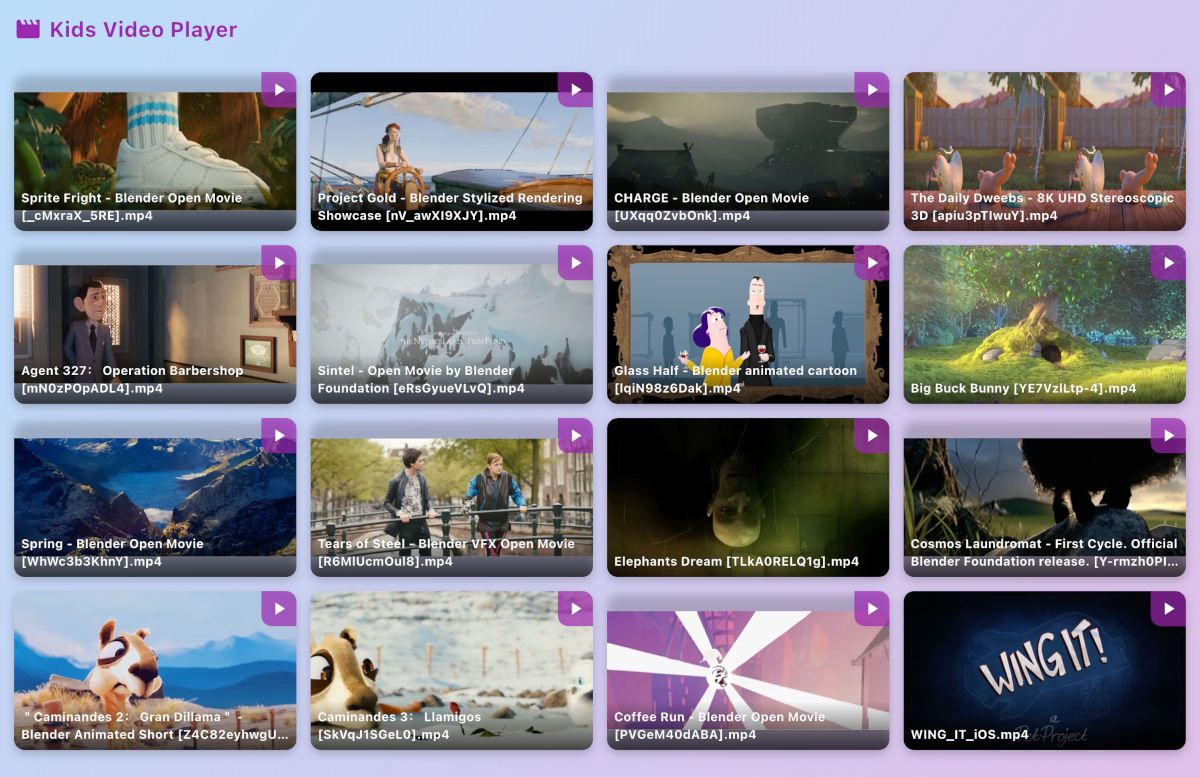
Kids Video Player offers a similar accessible user interface to YouTube kids, but purely with offline video files that you load onto the device. This addresses almost all of the issues:
- The videos are only the ones you provide, giving you full granular control, and also opening it up for you to let them watch videos not on YouTube or streaming services, like your family videos!
- The content is completely offline, and the app has no dependency on the internet at all, allowing it to both be fast + work in the car on a long road trip, or on a plane.
- Since you can create a finite library of videos on the device, children exhibit less novelty-seeking behavior because it is not an endless stream of content available.
- There is no tracking involved! The app has no telemetry in-built, so it's not phoning home with your kids viewing habits.
This allows for an experience that kids still love to use, but without all the draw-backs. Convinced? Setting it up is straightforward.
Getting it Set Up
On Android:
- Open the app
- Give file permission and choose the folder where your videos are stored
- That's it! Your videos will appear
On iPhone/iPad:
- Open Kids Video Player once to set it up
- Go to the Files app on your device
- Copy videos into the Kids Video Player folder
- Re-open the app to see your videos
What Video Files Work Best
| Android | iPhone/iPad | |
|---|---|---|
| File Types | Most common video files | MP4, MOV, M4V files |
| Video Format | H.264, H.265, VP9 | H.264, H.265 |
| Audio Format | AAC, MP3, FLAC | AAC, MP3 |
Best Choice for Both:
Use MP4 files – these work reliably on both Android and iPhone/iPad devices. Most videos from phones, cameras, and downloads are already in MP4 format.
That's really all there is to the setup. Once your videos are in place, you can let your kid have a go!
Conclusion
What you get is a video player that stays within the library you chose. Your child can pick a video, and when it ends, it just plays the next one from your folder. They won't get pulled into a never-ending stream of new recommendations.
It’s a simple, contained way to handle screen time. For car trips, plane rides, or just some quiet time at home, it keeps things predictable. You know what they’re watching, and they have a clear start and finish.